 Lumi Kids
Lumi Kids for Android
Lumi Kids is a language-learning app for children aged 4 to 12, now on Google Play. Your child listens, speaks and plays with Lumi, a cheerful owl, in Spanish, French, German or seven more languages, with help in your home language. Free to download, and the first two levels are free.

Name on Google Play: Lumi Kids: Learn Languages · developer: AppFusion Labs

Point your Android phone's camera at this code and Lumi Kids opens in the Play Store.
On an iPhone or iPad? Lumi Kids is on the App Store too.
Facts checked against the Google Play listing on October 23, 2026.
What your child does in Lumi Kids
Short, playful sessions built around listening and speaking, the way young children pick up a language.
Listen first, then speak
Lumi reads every word, phrase and story aloud with clear pronunciation. Children tap what they hear, say it in their own voice and build sentences from tiles.
Live conversations with Lumi
With your permission, your child talks with Lumi in real time. Lumi answers in the new language and helps in your home language when your child gets stuck.
Starts at the right level
A short, playful placement check finds where your child begins: first words for beginners, further along for children who already know some.
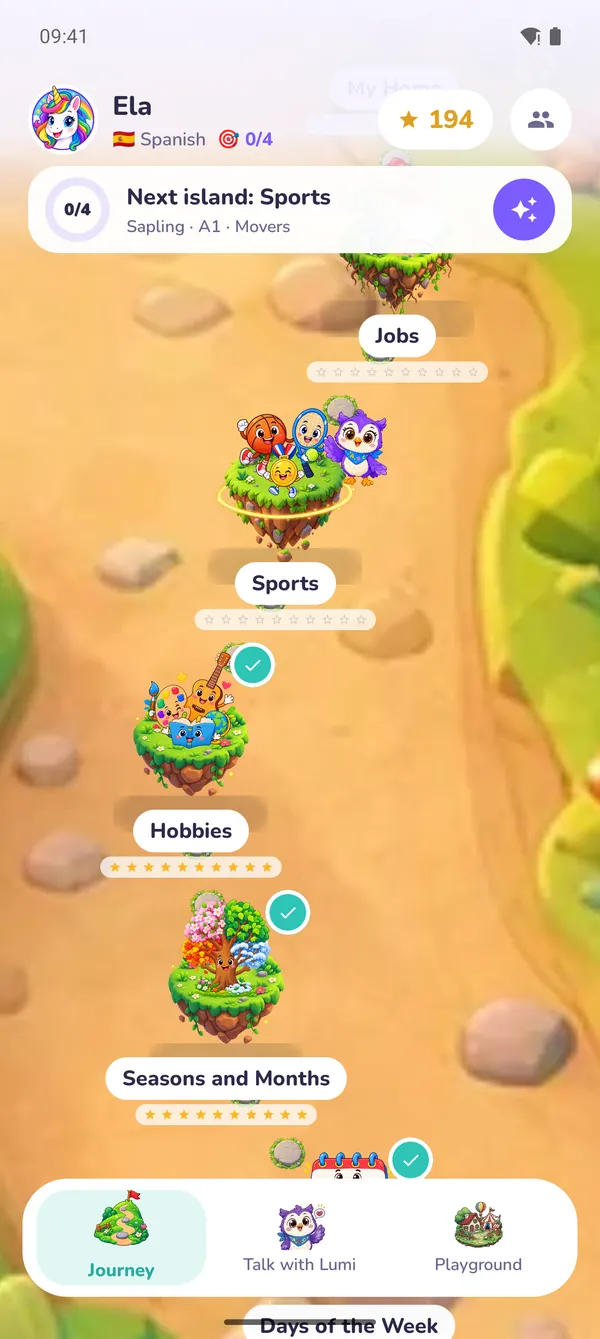
Four levels, 72 islands
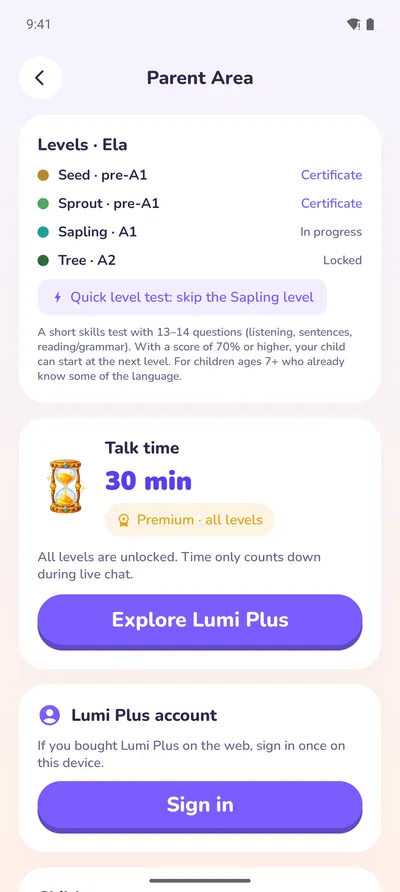
Seed, Sprout, Sapling and Tree lead from first words to short conversations (pre-A1 to A2). Each level ends with a short test and a certificate.
Games and a home of their own
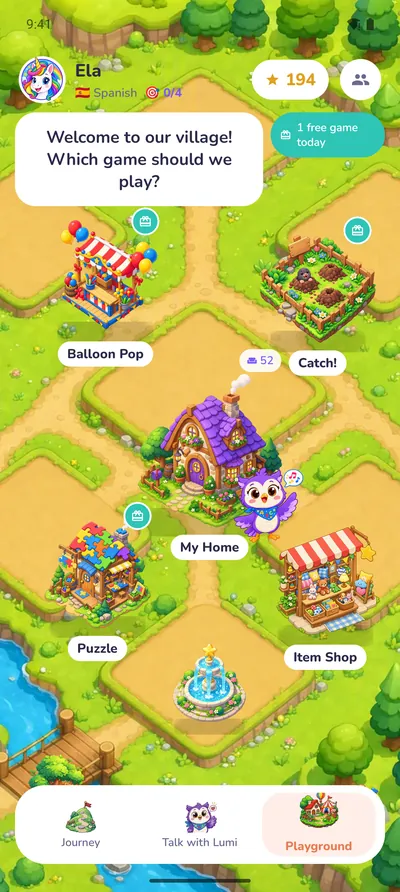
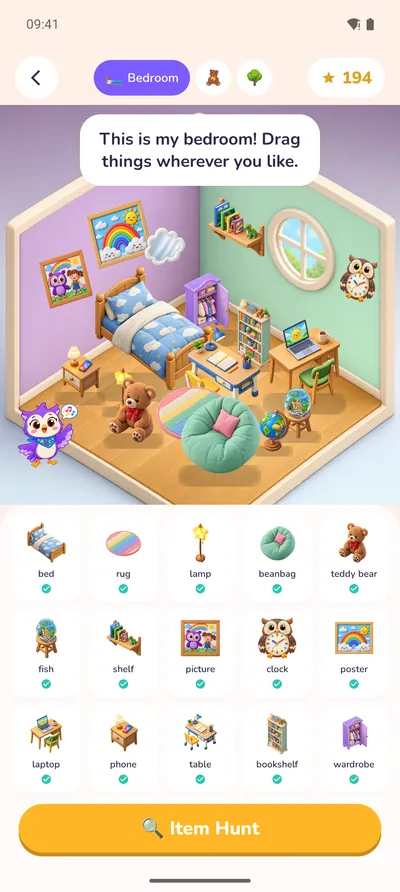
Words come back in Balloon Pop, Catch! and Puzzle. Stars earned on the journey furnish a bedroom, a playroom and a garden.
Big kids welcome
Children aged 10 to 12 get talk topics of their own: school days, hobbies, sports, travel and food.
Inside the Android app
Real screens from Lumi Kids on an Android phone.
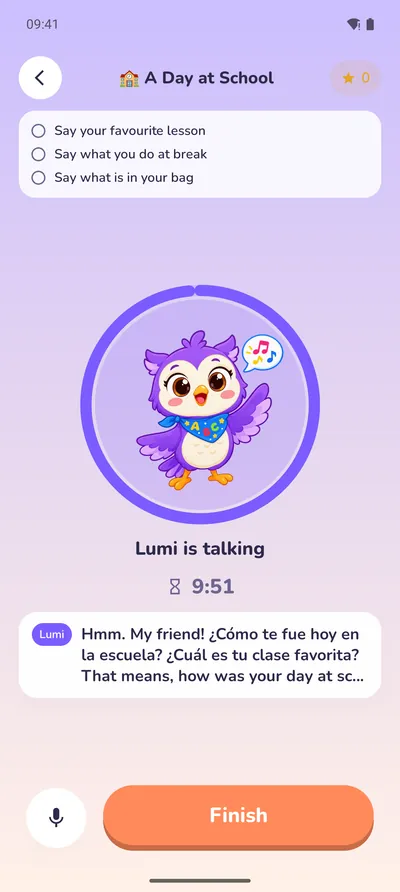
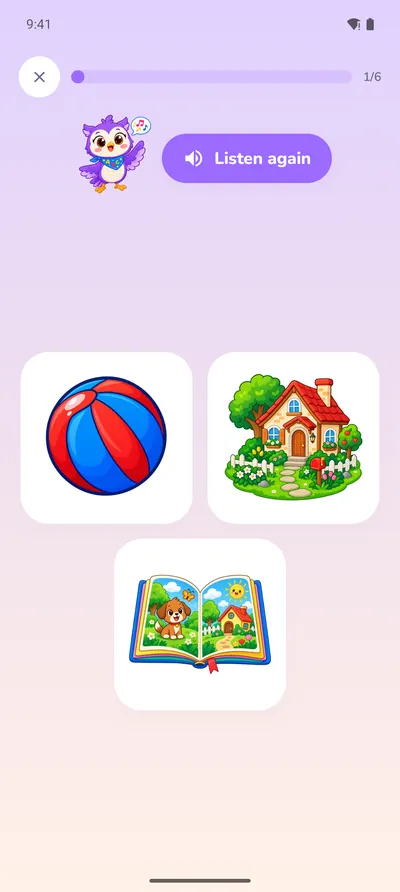
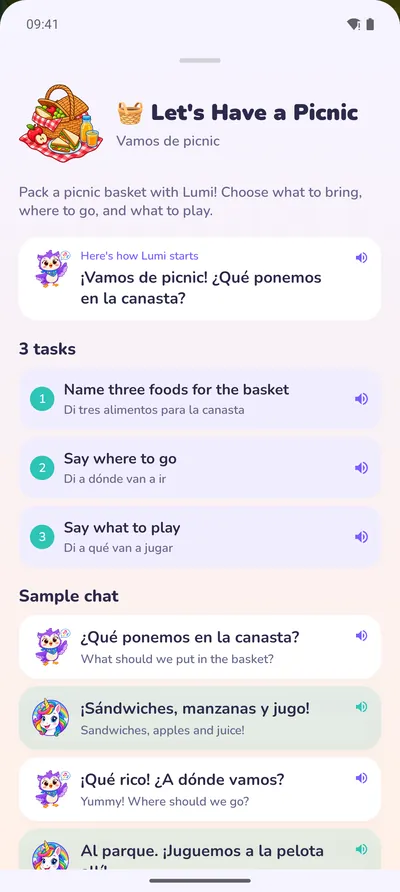
How to install Lumi Kids on Android
It takes about a minute. Do the setup together with your child.
- 1
Open Google Play
Tap the Google Play button on this page, or open the Play Store and search for “Lumi Kids: Learn Languages”.
- 2
Check the developer
Choose the app by AppFusion Labs, LLC: other apps have “Lumi” in their name.
- 3
Tap Install
The download is free. Your phone or tablet needs Android 8.0 or later.
- 4
Set it up together
Open Lumi Kids, give your consent as a parent, then pick your child's name, age and the language to learn. No account or e-mail needed.
What Lumi Kids costs on Android
Start free and decide later. Purchases go through your Google Play account and sit behind the parental gate.
Seed and Sprout, the first two levels (24 islands), in every language, plus a minute of live talk to try.
Opens Sapling and Tree and adds 10 minutes of live talk every week (renews on Mondays). The yearly plan starts with a 7-day free trial for new subscribers.
One-time top-ups of 10, 30 or 100 minutes of live talk that never expire.
US prices on Google Play, checked October 23, 2026. Google Play shows the price in your currency before you pay. Lumi Plus renews automatically unless you cancel at least 24 hours before the period ends; manage it in Google Play › Payments & subscriptions.
Android or iPhone: the same Lumi Kids
The Android app has the same journey, games, live talk and parent area as the app for iPhone and iPad.
| Android | iPhone and iPad | |
|---|---|---|
| Store | Google Play | App Store |
| Needs | Android 8.0 or later | iOS 17 or later |
| Content | 4 levels, 72 islands, 10 languages | 4 levels, 72 islands, 10 languages |
| Live talk with Lumi | Yes, with a free minute to try | Yes, with a free minute to try |
| Lumi Plus | Google Play subscription | App Store subscription |
| Cancel | Google Play › Payments & subscriptions | Settings › your name › Subscriptions |
Subscriptions stay with the store they were bought in: a Lumi Plus bought on Google Play works on Android devices signed in to the same Google account. Each device keeps its own child profiles.
You stay in charge
Everything a child should not change sits behind a parental gate.
- A parent area behind a PIN or a math question
- A daily limit for live talk
- A weekly report: talk time, exercises, stars and words practiced
- Up to four child profiles on one device
- Live talk stays off until you turn it on
- Optional practice reminders at a time you choose
On Google Play, Lumi Kids' Data safety section says: no data collected; audio is shared with a third party (our AI provider, during live talk only); data is encrypted in transit; you can ask for deletion. Lumi Kids follows the Google Play Families policy.
Questions parents ask about the Android app
Is Lumi Kids available on Android?
Yes. Lumi Kids is on Google Play as Lumi Kids: Learn Languages by AppFusion Labs, LLC, for phones and tablets with Android 8.0 or later.
Is Lumi Kids free on Android?
The download is free, and so are the first two levels, Seed and Sprout (24 islands), in every language, with a minute of live talk to try. Lumi Plus ($14.99 a month or $119.99 a year in the US; the yearly plan starts with a 7-day free trial for new subscribers) opens Sapling and Tree and adds 10 minutes of live talk a week. There are no ads.
Which Android phones and tablets does it run on?
Phones and tablets of any brand with Android 8.0 or later and Google Play, such as Samsung Galaxy, Google Pixel, Xiaomi, Oppo or Motorola. Live talk needs a microphone and an internet connection.
Is there a Lumi Kids APK?
No. Install Lumi Kids only from Google Play: that is where updates come from and how purchases and refunds work. APK files on other websites are not from us.
Does it work on Huawei phones without Google Play?
Not for now. Lumi Kids needs Google Play and is not in Huawei AppGallery.
Do I need an account or an e-mail address?
No. The app works without an account or e-mail. Purchases go through your Google Play account and sit behind the parental gate.
Does it work offline?
Once a level is on the device, its lessons, sounds and games work offline. Live talk with Lumi needs the internet.
How do I cancel Lumi Plus on Android?
Open the Play Store, tap your profile picture, then Payments & subscriptions › Subscriptions › Lumi Kids › Cancel subscription. Cancel at least 24 hours before the current period ends to avoid the next charge.
Can I use my iPhone subscription on Android?
Subscriptions stay with their store: Lumi Plus bought on the App Store works on Apple devices, Lumi Plus bought on Google Play on Android devices with the same Google account.
What happens to my child's voice in live talk?
Lumi Kids does not record or store your child's voice. During live talk the audio is streamed to our AI provider OpenAI; it is not used for training, and OpenAI may keep it for up to 30 days to detect abuse. Live talk stays off until you turn it on. Details in the privacy policy.

Bring Lumi to your Android phone
Free to download. The first two levels are free in every language.
Name on Google Play: Lumi Kids: Learn Languages · developer: AppFusion Labs
Point your Android phone's camera at this code and Lumi Kids opens in the Play Store.