Lumi Kids
Best Spanish Apps for Kids: Ages, Speaking and Pricing
A good Spanish app for a child does three things: it lets your child hear clear Spanish, it asks them to say things out loud, and it fits their reading stage. For ages 4–6 that usually means audio-led games or short videos; from about 7, story and lesson apps that add reading; for older kids, structured courses and conversation practice.
How we compared
We read what each provider says about its own app, on its website and store listings, and asked every one the same questions:
- Ages, as the provider states them. Many Spanish apps stop at 8 or 9, which matters if you have an older child.
- Speaking practice. None, speech recognition (the app listens and checks a word), a conversation with an AI, or a live teacher. Many US children can use Spanish with real people around them, so saying things out loud pays off early.
- Reading needed. Spanish is spelled the way it sounds, so reading comes quickly once a child knows the sounds; before that, an app that expects a 5-year-old to read instructions frustrates them.
- Format. Games, videos, lessons, stories (reading) or a voice tutor.
- Pricing model. Free, one-time purchase, subscription, a free part plus paid content, or per lesson. No prices: they differ by country and change often.
- Ads and offline use. Not in the table; we mention them below where the provider states them.
- Which Spanish. Latin American and European Spanish differ in some everyday words (carro and coche for car) and a few sounds. Most provider pages we checked don't name the accent, so play a sample if it matters to you.
| App | Product | Ages (as stated) | Format | Speaking practice | Reading needed | Pricing model | Platforms | Sources |
|---|---|---|---|---|---|---|---|---|
| Dinolingo | Dinolingo Spanish | 2–14 | Lessons | Speech recognition | No | Subscription | iPhone/iPad, Android, Web | [1] [2] [3] [4] [5] [6] |
| Duolingo | Duolingo Spanish course | Not stated | Lessons | Speech recognition | Yes | Free part + paid | iPhone/iPad, Android, Web | [7] [8] [9] [10] [11] |
| FabuLingua | FabuLingua Spanish | 6–9 | Games | Not stated | No | Subscription | iPhone/iPad, Android | [12] [13] [14] [15] |
| Fluency Kids | Fluency Kids Spanish | 4–12 | Reading | Not stated | Not stated | Not stated | Android | [16] [17] |
| Gus on the Go | Gus on the Go: Spanish | 0–5 | Games | Not stated | No | One-time purchase | iPhone/iPad, Android | [18] [19] [20] [21] [22] [23] |
| LangsForKids | Spanish For Kids | Not stated | Lessons | Not stated | Not stated | Free part + paid | Android | [24] |
| Languakids | Languakids - Spanish for Kids | 3+ | Lessons | Not stated | Not stated | Subscription | iPhone/iPad, Android | [25] |
| Little Pim | Little Pim Spanish | 0–6 | Videos | No | No | Subscription | iPhone/iPad, Android, Web | [26] [27] [28] [29] |
| Lumi Kids (our app) | 4–12 | AI voice tutor | Conversation with AI | No | Free part + paid | iPhone/iPad, Android | [30] [31] | |
| MUZZY BBC | MUZZY Spanish | Not stated | Videos | Not stated | No | Subscription | iPhone/iPad, Web | [32] [33] [34] [35] [36] |
| Studio4Kids | Spanish4Kids | 3–8 | Games | Not stated | Not stated | Free part + paid | iPhone/iPad, Android | [37] |
| Studycat | Studycat Spanish | 2–8 | Games | Speech recognition | No | Free part + paid | iPhone/iPad, Android | [38] [39] [40] [41] [42] |
| Unuhi | Unuhi bilingual books (Spanish) | 3–8+ | Reading | Not stated | Not stated | Free part + paid | iPhone/iPad, Android | [43] [44] [45] |
| ZingyBear for Kids apps | Spanish for Kids: Learn & Play | 3–9 | Lessons | Not stated | No | Free part + paid | iPhone/iPad | [46] |
Facts as each provider states them on its own site or store listing, checked on October 27, 2026. No prices (they differ by country and change), no ratings. Lumi Kids is our app.
Sources
- https://dinolingo.com/
- https://dinolingo.com/language-courses/
- https://dinolingo.com/dinolingo-app/
- https://dinolingo.com/dinolingo-launches-new-speaking-feature/
- https://apps.apple.com/us/app/dinolingo-kids-learn-languages/id1537076111
- https://play.google.com/store/apps/details?id=com.dinolingo.dinolearning
- https://apps.apple.com/us/app/duolingo-learn-languages/id570060128
- https://play.google.com/store/apps/details?id=com.duolingo
- https://www.duolingo.com/privacy
- https://www.duolingo.com/terms
- https://blog.duolingo.com/count-on-duolingo-for-flexible-language-learning-this-school-year/
- https://www.fabulingua.com/faq/
- https://www.fabulingua.com/
- https://apps.apple.com/us/app/learning-games-fabulingua/id1435947003
- https://play.google.com/store/apps/details?id=com.MagicalTranslations.FabuLingua
- https://play.google.com/store/apps/details?id=com.fluencylang.fluencykids
- https://getfluencyapp.com/kids/privacy
- https://www.gusonthego.com/gus-on-the-go-languages/gus-on-the-go-spanish
- https://apps.apple.com/us/app/gus-on-the-go-spanish/id541567964
- https://play.google.com/store/apps/details?id=com.toojuice.android.gus.spanish.mexico
- https://www.gusonthego.com/
- https://www.gusonthego.com/gus-on-the-go-faq/
- https://play.google.com/store/apps/developer?id=toojuice,+LLC
- https://play.google.com/store/apps/developer?id=LangsForKids
- https://languakids.com/
- https://www.littlepim.com/
- https://www.littlepim.com/faq
- https://apps.apple.com/us/app/little-pim-video/id1492323426
- https://play.google.com/store/apps/details?id=com.littlepim.videoplayer
- https://apps.apple.com/us/app/lumi-kids-learn-languages/id6797690284
- https://play.google.com/store/apps/details?id=us.appfusion.speaklykids&hl=en
- https://www.muzzybbc.com/pages/bbc-spanish-new
- https://www.muzzybbc.com/
- https://www.muzzybbc.com/pages/how-muzzy-works
- https://www.muzzybbc.com/pages/bbc-all-languages
- https://apps.apple.com/us/app/muzzy-kids-language-learning/id6469683059
- https://www.studioforkids.com/
- https://studycat.com/products/spanish/
- https://apps.apple.com/us/app/learn-spanish-studycat/id661574705
- https://play.google.com/store/apps/details?id=net.studycat.funspanish
- https://studycat.com/
- https://itunes.apple.com/search?term=studycat&entity=software&country=us
- https://unuhi.com/
- https://apps.apple.com/us/app/unuhi-bilingual-books/id1394567278
- https://play.google.com/store/apps/details?id=com.oxfordappdevelopment.unuhi
- https://zingybear.com/apps/
Each number in the last column links to the provider page the facts come from; the full list is under the table.
Little Pim
Little Pim is a library of 5-minute episodes for babies, toddlers and pre-K (ages 0–6), covering 360+ words and phrases, with no reading and no speaking practice. One subscription covers its 12 languages, and it also plays on Apple TV, Android TV, Fire TV, Chromecast and Roku, handy if you prefer the TV to a tablet.
Gus on the Go
Gus on the Go: Spanish teaches about 90 first words to children up to 5 (the App Store's Kids-category band), with no reading needed. It is a one-time purchase with no ads and no in-app purchases: a small, fixed set of words with nothing to cancel later.
Studycat
Studycat Spanish (ages 2–8) is a game app taught entirely in Spanish. Its VoicePlay speech recognition is live for Spanish, so your child says words and the app listens. The free version has a limited set of topics; no ads, and it works offline.
Studio4Kids
Spanish4Kids (ages 3–8) is an alphabet app with letter sounds, tracing and first words, for a child starting to match Spanish sounds to letters. The first three levels are free and full access is a one-time purchase; no ads.
ZingyBear for Kids apps
ZingyBear's "Spanish for Kids: Learn & Play" (ages 3–9) is an iPhone and iPad app that pairs native Spanish audio with English and adds math, science and culture topics. No reading needed, no ads, and it works offline.
FabuLingua
FabuLingua is a story-based game for English-speaking children learning Spanish; its FAQ says ages 6–9, its store listings "preschool, kindergarten, and elementary". The CopyCat mode plays your child's recording next to the narrator's instead of correcting pronunciation. Subscription, no ads.
Unuhi
Unuhi offers dual-language picture books and flashcards in any pair of about 20 languages; Spanish is one of the six with native audio narration. Ages 3–8+, a free part plus paid content, and it works offline. English and Spanish side by side make it easy to read together.
Fluency Kids
Fluency Kids Spanish has narrated, illustrated short stories and nursery rhymes with word-by-word highlighting, for approximately ages 4–12 according to its privacy policy, with no accounts and no ads. It is on Google Play only, with no pricing model stated.
Languakids
Languakids - Spanish for Kids (3+) follows a structured path of everyday vocabulary, dialogues, listening and simple grammar for preschool and elementary learners. Subscription, no ads, works offline.
Dinolingo
Dinolingo Spanish comes with one subscription that covers 50 languages and up to six children: videos, games, songs, books and worksheets, taught without translation, plus a speech-recognition speaking feature since June 2026. The App Store lists ages 2–12, the website and Google Play 2–14, and it suits siblings who learn different languages.
MUZZY BBC
MUZZY Spanish is built around the animated BBC films "Muzzy in Gondoland" and "Muzzy Comes Back", with vocabulary videos, songs, online games and printables. An online recording studio lets children hear themselves (no automatic feedback stated). It needs an internet connection and runs on iPhone, iPad and the web.
LangsForKids
Spanish For Kids by LangsForKids is an Android-only picture-vocabulary app (alphabet, numbers, colors, animals, family) with a free part plus paid content. It shows ads.
Lumi Kids (our app)
Lumi Kids is our app, so weigh this section with that in mind. Children aged 4–12 listen, play and then talk with Lumi, an AI owl, in Latin American Spanish, while Lumi explains in English; the youngest need no reading, reading and spelling start at 7, and 10- to 12-year-olds get talk topics of their own. The first two of four levels and 60 seconds of live talk are free; Lumi Plus, an auto-renewing monthly or yearly subscription, unlocks the other two levels and 10 minutes of live talk a week. No ads, no account; iPhone, iPad and Android.
Duolingo
Duolingo is a general-audience app, not a kids' app, and its Spanish course expects the learner to read. Children under 13 can have "Child User" accounts with a username instead of an email and restricted social features. It uses speech recognition; the free tier shows ads (non-personalized for under-16s), which Super Duolingo removes. It fits a confident reader better than a preschooler.
Which app at which age
Ages 4–6: listen, copy, play. Spanish goes in through the ears. Choose apps that need no reading and keep sessions to a few minutes: short videos (Little Pim), first-word games (Gus on the Go, Studycat, ZingyBear) and apps that ask your child to say a word back. Repeat the words during the day: agua at the table, zapatos at the door.
Ages 7–9: speaking, then reading. Because Spanish spelling is regular, this is a good time to add stories: FabuLingua is written for 6- to 9-year-olds, and Unuhi and Fluency Kids put text and narration side by side. Keep one activity where your child speaks every session, so reading does not crowd out talking.
Ages 10–12: structure and real topics. Check the upper age before you buy. Apps that state ages up to 12 or beyond (Dinolingo, Fluency Kids, Lumi Kids), or Duolingo for a confident reader, can carry on, ideally next to a class or a Spanish-speaking friend.
Spanish in the US: school, neighbors and what an app can't do
Spanish is the language US children are most likely to meet at school. In the NCES School Pulse Panel from January 2024, 40% of public schools taught Spanish and 12% French; among elementary schools, 16% taught Spanish, French and Chinese about 1% each. Spanish is also the partner language in 71% of public schools with dual-language programs (ACTFL report on the NCES data, March 2026; checked October 27, 2026). In a Pew Research Center survey from March 2026, 53% of US adults said it is extremely or very important for schools to offer Spanish, far more than for any other language (Pew Research Center, August 3, 2026; checked October 27, 2026). In England, Spanish has overtaken French at GCSE (ALL summary of Language Trends England 2025, July 2025; checked October 27, 2026).
So an app is a partner for school Spanish: it keeps words going over the summer and gives a child who hears Spanish once a week a few more minutes most days. It cannot replace a teacher who explains and corrects, conversation with Spanish speakers (a grandparent, a coach, the family next door) or bilingual picture books read aloud. Our guide to teaching your child Spanish at home has a daily plan for parents who don't speak Spanish, and none of the apps in the table offers a live teacher for Spanish, so see online Spanish classes for kids if you want one.
Free, freemium or subscription?
The pricing column uses five models; three appear for Spanish. One-time purchase (Gus on the Go): you pay once for a fixed amount of content. Free part + paid: a first part is open and the rest is bought once (Studio4Kids) or by subscription; here the free part is a few topics or the first levels. Subscription (Dinolingo, FabuLingua, Languakids, Little Pim, MUZZY BBC): access while you pay, renewing automatically until you cancel.
Give the free part a week before paying: does your child ask for it, say Spanish words afterwards, and hit a paywall on day one or day five? If you start a trial, set a reminder two days before it ends. To stop a subscription on an iPhone or iPad, open Settings, tap your name, then Subscriptions; on Android, open the Google Play Store, tap your profile picture, then Payments & subscriptions. Deleting the app does not cancel it.
For the 64 first words with audio and a say-it guide, see our page on Spanish for kids; comparisons for other languages are on the languages for kids hub.
Frequently asked questions
What is a good Spanish app for a 4-year-old?
Look for an app that a 4-year-old can use by ear: audio for every instruction, pictures instead of text, short activities. In the table, Little Pim (ages 0–6), Gus on the Go (0–5), Studycat (2–8), ZingyBear (3–9) and Lumi Kids (4–12) all state ages that include 4 and need no reading. Sit with your child for the first few sessions and stop while it is still fun.
Do Spanish apps for kids teach Latin American or Spain Spanish?
It varies, and most providers don't state it on the pages we checked. Lumi Kids uses Latin American Spanish (carro for car, pastel for cake). Speakers from both sides of the Atlantic understand each other easily, so it only matters if your family or your child's school uses one variety; in that case, listen to a sample before you choose.
Which Spanish apps get kids speaking out loud?
Studycat's VoicePlay speech recognition is live in Spanish, Dinolingo added a speech-recognition speaking feature in June 2026, Duolingo uses speech recognition, and Lumi Kids holds a spoken conversation with an AI owl. FabuLingua and MUZZY BBC let children record themselves and listen back, without automatic feedback.
Is Duolingo a good Spanish app for kids?
Duolingo is a general-audience app, not a kids' app, and its Spanish course expects the learner to read. Children under 13 can use a "Child User" account with a username instead of an email, and the free tier shows ads. It suits a confident reader with a parent nearby better than a preschooler; our article Is Duolingo good for kids? goes into detail.
Can my child learn Spanish from an app if I don't speak Spanish?
An app can give your child a clear Spanish voice to copy, which is the part many parents worry about. Your job is to make Spanish a small daily habit and to find people your child can speak it with, such as relatives, neighbors, a class or a babysitter. Many parents learn alongside their child.
Which Spanish apps for kids work offline?
Studycat, Languakids, Unuhi and ZingyBear state that they work offline. MUZZY BBC says it needs an internet connection; the other providers in the table don't say. Download content before a flight or a long car ride and test it in airplane mode at home.
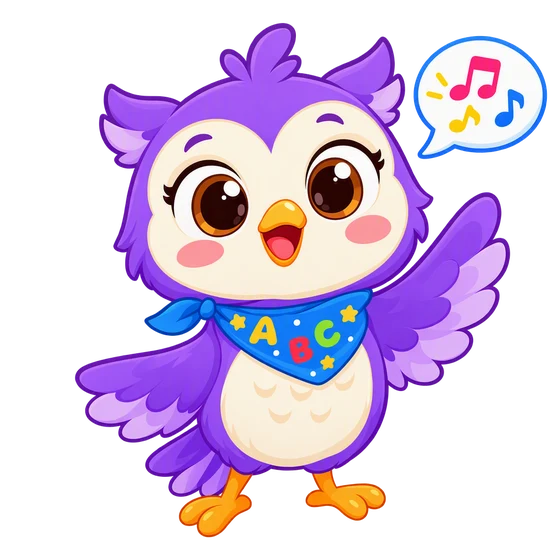
In the Lumi Kids app, Lumi the AI owl talks with your child, corrects gently and hands out stars. Ages 4–12, no ads. The first two levels and the first minute of live conversation are free.


The team behind Lumi Kids. Articles are written using published research on early-childhood language acquisition and the curriculum built into the app, and are reviewed and updated over time. Questions or corrections: hello@lumikids.live