Lumi Kids
Best Mandarin Apps for Kids: Tones, Characters and Tutors

A good Mandarin app for a child trains the ear and the voice before the eye: your child should hear the four tones and say words back, with characters coming later. For ages 4–6, choose listening and speaking apps that need no reading; at 7–9, add pinyin or character games; older children can add a live tutor or a course.
How we compared
We took each fact from the provider's own site or store listing and put the same questions to every app. For Mandarin, these matter most:
- Speaking practice. Mandarin uses tones: mā (mom) and mǎ (horse) differ only in pitch. A child learns tones by hearing and copying, so we note whether an app listens with speech recognition, holds a conversation, offers a live teacher, or has no speaking.
- Reading needed. Characters take years to learn. A 5-year-old should be able to use the app without reading them.
- Characters and pinyin. Simplified or traditional script, and whether pinyin is shown, matter if your child goes to a Chinese school or has family in Taiwan, Hong Kong or mainland China. We say what the provider states.
- Mandarin or Cantonese. Most apps teach Mandarin; we note the ones that also offer Cantonese.
- Format. Mandarin apps run from videos and games to AI tutors and live classes.
- Ages, pricing model, ads and offline use, as stated. No prices.
| App | Product | Ages (as stated) | Format | Speaking practice | Reading needed | Pricing model | Platforms | Sources |
|---|---|---|---|---|---|---|---|---|
| Dinolingo | Dinolingo Chinese | 2–14 | Lessons | Speech recognition | No | Subscription | iPhone/iPad, Android, Web | [1] [2] [3] [4] [5] [6] |
| Dinosaur Chinese: Learn & Play | 3–8 | Games | Not stated | No | Free part + paid | iPhone/iPad, Android | [7] [8] [9] | |
| Duolingo | Duolingo Chinese course | Not stated | Lessons | Speech recognition | Yes | Free part + paid | iPhone/iPad, Android, Web | [10] [11] [12] [13] [14] |
| Galaxy Kids | Galaxy Kids Chinese | 3–8 | AI voice tutor | Conversation with AI | No | Free part + paid | iPhone/iPad, Android | [15] [16] |
| Gus on the Go | Gus on the Go: Mandarin | 0–5 | Games | Not stated | No | One-time purchase | iPhone/iPad, Android | [17] [18] [19] [20] [21] |
| LingoAce | LingoAce Chinese | 3–15 | Live tutor | With a teacher | Not stated | Per lesson | iPhone/iPad, Android | [22] [23] [24] [25] |
| Little Pim | Little Pim Mandarin Chinese | 0–6 | Videos | No | No | Subscription | iPhone/iPad, Android, Web | [26] [27] [28] [29] |
| Lumi Kids (our app) | 4–12 | AI voice tutor | Conversation with AI | No | Free part + paid | iPhone/iPad, Android | [30] [31] | |
| Maomi Stars | 4–7 | Games | Speech recognition | Not stated | Free part + paid | iPhone/iPad | [32] [33] [34] | |
| MUZZY BBC | MUZZY Mandarin Chinese | Not stated | Videos | Not stated | No | Subscription | iPhone/iPad, Web | [35] [36] [37] [38] [39] |
| Studycat | Studycat Chinese | 2–8 | Games | No | No | Free part + paid | iPhone/iPad, Android | [40] [41] [42] [43] [44] |
| Unuhi | Unuhi bilingual books (Mandarin (Simplified)) | 3–8+ | Reading | Not stated | Not stated | Free part + paid | iPhone/iPad, Android | [45] [46] [47] |
| WuKong Education | WuKong: Chinese, Math & ELA | 3–18 | Live tutor | With a teacher | Not stated | Not stated | iPhone/iPad, Android | [48] [49] |
| ZingyBear for Kids apps | Chinese for Kids: Learn & Play | 3–9 | Lessons | Not stated | No | Free part + paid | iPhone/iPad | [50] [51] [52] |
Facts as each provider states them on its own site or store listing, checked on October 27, 2026. No prices (they differ by country and change), no ratings. Lumi Kids is our app.
Sources
- https://dinolingo.com/learn-chinese-for-kids/
- https://dinolingo.com/
- https://dinolingo.com/language-courses/
- https://dinolingo.com/dinolingo-app/
- https://dinolingo.com/dinolingo-launches-new-speaking-feature/
- https://apps.apple.com/us/app/dinolingo-kids-learn-languages/id1537076111
- https://yateland.com/apps/dinosaur-chinese-learn-play/
- https://apps.apple.com/us/app/dinosaur-chinese-learn-play/id1566499373
- https://play.google.com/store/apps/details?id=com.imayi.dinochinese
- https://apps.apple.com/us/app/duolingo-learn-languages/id570060128
- https://play.google.com/store/apps/details?id=com.duolingo
- https://www.duolingo.com/privacy
- https://www.duolingo.com/terms
- https://blog.duolingo.com/count-on-duolingo-for-flexible-language-learning-this-school-year/
- https://apps.apple.com/us/app/learn-chinese-games-for-kids/id1597412004
- https://galaxykids.ai/
- https://apps.apple.com/us/app/gus-on-the-go-mandarin/id563446687
- https://play.google.com/store/apps/details?id=com.toojuice.android.gus.mandarin.china
- https://www.gusonthego.com/
- https://www.gusonthego.com/gus-on-the-go-faq/
- https://play.google.com/store/apps/developer?id=toojuice,+LLC
- https://www.lingoace.com/programs/learn-chinese/
- https://play.google.com/store/apps/details?id=com.pplingo.chinese
- https://www.lingoace.com/faq/
- https://apps.apple.com/us/app/lingoace-for-student/id1155911183
- https://www.littlepim.com/
- https://www.littlepim.com/faq
- https://apps.apple.com/us/app/little-pim-video/id1492323426
- https://play.google.com/store/apps/details?id=com.littlepim.videoplayer
- https://apps.apple.com/us/app/lumi-kids-learn-languages/id6797690284
- https://play.google.com/store/apps/details?id=us.appfusion.speaklykids&hl=en
- https://apps.apple.com/us/app/maomi-stars-kids-chinese-game/id1524729048
- https://www.maomistars.com/
- https://www.maomistars.com/faq
- https://www.muzzybbc.com/pages/bbc-chinese-new
- https://www.muzzybbc.com/
- https://www.muzzybbc.com/pages/how-muzzy-works
- https://www.muzzybbc.com/pages/bbc-all-languages
- https://apps.apple.com/us/app/muzzy-kids-language-learning/id6469683059
- https://studycat.com/products/chinese/
- https://apps.apple.com/us/app/learn-chinese-studycat/id547571511
- https://play.google.com/store/apps/details?id=com.pumkin.funchinese
- https://studycat.com/
- https://itunes.apple.com/search?term=studycat&entity=software&country=us
- https://unuhi.com/
- https://apps.apple.com/us/app/unuhi-bilingual-books/id1394567278
- https://play.google.com/store/apps/details?id=com.oxfordappdevelopment.unuhi
- https://apps.apple.com/us/app/wukong-chinese-math-ela/id1574837622
- https://play.google.com/store/apps/details?id=com.wukongacademy.studentportal
- https://zingybear.com/apps/chinese-for-kids-learn-play/
- https://apps.apple.com/us/app/chinese-for-kids-learn-play/id6757639470
- https://zingybear.com/apps/
The numbers link each row to its sources, listed beneath the table.
Little Pim
Little Pim Mandarin Chinese is for ages 0–6: 5-minute video episodes that cover 360+ words and phrases, with no reading and no speaking task. It is a subscription that includes all 12 Little Pim languages and also plays on Apple TV, Fire TV, Roku and other TV devices.
Gus on the Go
Gus on the Go: Mandarin is a one-time purchase for ages 0–5 with about 90 vocabulary words, no ads and no in-app purchases. The developer also makes separate Taiwanese Mandarin and Cantonese apps.
Studycat
Studycat Chinese (ages 2–8) is a game app taught entirely in Mandarin, with no ads and offline play; the free version has a limited set of topics. Its speech recognition is stated as live in English and Spanish and "on the way" for Chinese, so for now it trains listening rather than tones in your child's own voice.
Dinosaur Chinese: Learn & Play
Dinosaur Chinese (ages 3–8) teaches 242 Chinese characters, 288 words and 43 phrases through dinosaur-themed games and works offline. It has a free part and paid content. The App Store listing says "Contains Advertising", while the developer Yateland describes it as free of third-party ads, so check the settings yourself.
Maomi Stars
Maomi Stars (ages 4–7) teaches 400+ Chinese characters in simplified or traditional script, with Mandarin or Cantonese narration and an English interface, and uses speech recognition. It is iPhone and iPad only and, according to its FAQ, needs an internet connection. Free part plus paid, no ads.
ZingyBear for Kids apps
"Chinese for Kids: Learn & Play" (ages 3–9) covers pinyin and simplified characters, pairs native audio with English and adds math, science and culture topics. It needs no reading, has no ads, works offline and is for iPhone and iPad.
Galaxy Kids
Galaxy Kids Chinese uses AI tutor characters that hold Mandarin conversations with your child and give real-time pronunciation feedback, following a path based on the YCT (Youth Chinese Test). The App Store states ages 3–8, Google Play 3–6. No reading needed, no ads, and a free part plus paid content.
Lumi Kids (our app)
Lumi Kids is our app; we built it, so judge this section accordingly. Your child (4–12) hears every word in Taiwan Mandarin from Lumi, an AI owl who explains in English, plays with it and then answers out loud in live talk. The cards show traditional characters with pinyin, and the app teaches by listening and speaking, so no reading is needed. Two of four levels and 60 seconds of live talk are free; Lumi Plus, an auto-renewing monthly or yearly subscription, unlocks the last two levels and 10 minutes of live talk a week. No ads; for iPhone, iPad and Android.
MUZZY BBC
MUZZY Mandarin Chinese builds on the BBC's animated Muzzy stories, with vocabulary videos, songs, online games and printables, and a recording studio where children hear themselves (no automatic feedback stated). It is sold by subscription, works only online, and runs on iPhone, iPad and the web.
Unuhi
Unuhi's dual-language picture books and flashcards include Mandarin with simplified characters and native audio narration, so your child can hear a sentence while seeing the characters next to the English. Ages 3–8+; part of the library is free and it can be used offline.
Dinolingo
Dinolingo Chinese teaches Mandarin as part of a subscription for 50 languages and up to six children: videos, games, songs, books and worksheets, without translation, and a speech-recognition speaking feature since June 2026. Stated ages run from 2 to 12 or 14, depending on the store.
LingoAce
LingoAce runs live 1-on-1 and small-group online Chinese classes with teachers for ages 3–15, sold as class packages; the classes run in its iPhone, iPad and Android apps and on Windows and Mac computers. It suits a family that wants a teacher to correct tones and keep a child talking.
WuKong Education
The WuKong app is the companion to WuKong Education's live online classes with teachers, 1-on-1 or in small groups: your child joins classes, checks the schedule and replays lessons. The stated ages are 3–18; the pricing model is not stated in its store listings.
Duolingo
Duolingo's Chinese course is part of a general app for all ages, not a kids' app, and it expects reading. Under-13s use "Child User" accounts with a username instead of an email and restricted social features. It has speech recognition; the free tier shows ads (non-personalized for under-16s), removed by Super Duolingo.
Which app at which age
Ages 4–6: tones as music. Young children copy tones the way they copy a tune. Use a listening app (Little Pim, Gus on the Go) or one that asks for spoken answers (Galaxy Kids, Lumi Kids), a few minutes a day. Sing Liǎng zhī lǎohǔ ("Two Tigers") to the tune of "Frère Jacques", and leave characters for later.
Ages 7–9: pinyin and first characters. Character games (Dinosaur Chinese, Maomi Stars) and pinyin (ZingyBear) fit now, next to continued speaking practice. If your child attends a Chinese school, choose apps that use the same script as the class.
Ages 10–12: real conversation. Few kids' apps state ages this high. A live class (LingoAce, WuKong Education), a course such as Dinolingo, or Lumi Kids' talk topics for 10- to 12-year-olds keep a child speaking; confident readers can try Duolingo with a parent nearby.
Mandarin in the US: wanted, but rarely taught early
In Pew Research Center's March 2026 survey, 20% of US adults said it is extremely or very important for schools to offer Mandarin Chinese, second only to Spanish (Pew Research Center, August 3, 2026; checked October 27, 2026). Yet Chinese (Mandarin or Cantonese) was taught in 3% of public schools in January 2024, about 1% of elementary schools and 6% of high schools, and it was the partner language in 4% of public schools with dual-language programs (ACTFL report on NCES data, March 2026; checked October 27, 2026).
That gap is why so many children start Mandarin with family, a weekend Chinese school or an immersion program. If you are weighing a Mandarin program, our article on dual-language immersion, pros and cons helps; for families who speak Mandarin or Cantonese at home, see how to raise a bilingual child. An app adds daily listening and a voice to copy. It cannot replace a grandparent's conversation, a teacher who hears a tone slip and fixes it, or the patient practice of writing characters by hand.
Free, freemium or subscription?
Mandarin brings in a model the other tables rarely show: per lesson (LingoAce), where you buy packages of live classes. Besides that, free part + paid (Dinosaur Chinese, Duolingo, Galaxy Kids, Maomi Stars, Studycat, Unuhi, ZingyBear, Lumi Kids) gives you a first part before paying; subscription (Dinolingo, Little Pim, MUZZY BBC) renews until you cancel; one-time purchase (Gus on the Go) is paid once. WuKong Education does not state its model in the listings we used.
Test with intent: over a week, does your child say Mandarin words back with something like the right tone, and does the free part include speaking? For live classes, a trial lesson tells you more than any description. Note when any trial ends. To cancel an app-store subscription on an iPhone or iPad, go to Settings, tap your name and choose Subscriptions; on Android, open the Google Play Store, tap your profile picture and go to Payments & subscriptions. Deleting the app does not end the subscription.
The 64 first Mandarin words, with traditional characters, pinyin and Lumi's voice, are on Mandarin Chinese for kids. The languages for kids hub has the comparison for every other language.
Frequently asked questions
Should my child learn traditional or simplified characters?
Follow your family and your child's school. Mainland China uses simplified characters; Taiwan and Hong Kong use traditional ones. The spoken Mandarin is the same. In this comparison Unuhi and ZingyBear teach simplified characters, Lumi Kids teaches traditional characters, and Maomi Stars lets you choose.
Which Mandarin apps help a child with tones?
Tones need listening and speaking with feedback. Galaxy Kids gives real-time pronunciation feedback in AI conversations, Maomi Stars, Dinolingo and Duolingo use speech recognition, Lumi Kids holds a spoken conversation, and LingoAce and WuKong Education have live teachers. Studycat says speech recognition for Chinese is "on the way".
Does my child need pinyin?
Not to start speaking. Pinyin writes Mandarin in Latin letters with tone marks, which helps you follow along and later helps your child type. ZingyBear's Chinese app covers pinyin, and Lumi Kids shows pinyin under every character.
Are there apps for Cantonese instead of Mandarin?
Most apps here teach Mandarin. Maomi Stars offers Cantonese narration as an option, and Gus on the Go also makes a separate Cantonese app. Dinolingo states that its Chinese course is Mandarin.
App or online Chinese tutor for my child?
They do different jobs. An app gives a few minutes of practice every day; a live teacher corrects tones and holds a real conversation. LingoAce (ages 3–15, sold as class packages) and WuKong Education run live online classes; many families combine daily app practice with one or two classes a week.
Is there a Mandarin app for a 3-year-old?
Little Pim (ages 0–6), Gus on the Go (0–5), Studycat (2–8), Dinolingo (from 2), Dinosaur Chinese (3–8), Galaxy Kids (3–8) and ZingyBear (3–9) all state ages that include 3. A few minutes together, with you repeating the words, is plenty at that age.
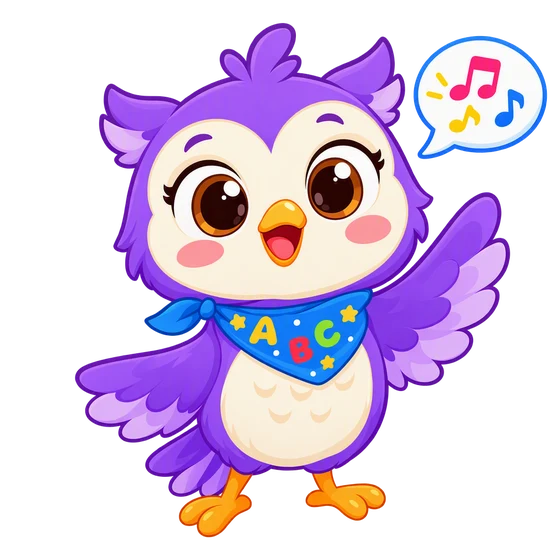
In the Lumi Kids app, Lumi the AI owl talks with your child, corrects gently and hands out stars. Ages 4–12, no ads. The first two levels and the first minute of live conversation are free.


The team behind Lumi Kids. Articles are written using published research on early-childhood language acquisition and the curriculum built into the app, and are reviewed and updated over time. Questions or corrections: hello@lumikids.live