Lumi Kids
Best Japanese Apps for Kids: Kana, Kanji and Speaking
A good Japanese app for a young child gets them hearing and saying words first and leaves the three writing systems for later. Under 7, choose apps that need no reading; from about 6–7, a hiragana app can sit next to a speaking app; older children can add katakana, first kanji and a structured course.
How we compared
We used only what each provider states on its own website and store listings, and asked the same questions of every app. For Japanese, two of them decide most choices.
- Reading needed. Japanese is written with hiragana, katakana (mostly for borrowed words such as banana and orenji) and kanji. A 4-year-old cannot read any of them, so an app that depends on text is a later step. We note whether the provider says reading is needed.
- Script or speech. Some apps teach spoken Japanese; others teach the scripts themselves. They are different jobs, and many families use one of each.
- Romaji. Some apps show Latin letters next to Japanese (Kanji4Kids and Lumi Kids state they do). Romaji helps parents; it is not how Japanese is read.
- Speaking practice. Japanese has long and short vowels that change the meaning (obāsan, grandmother, and obasan, aunt) and a small pause before doubled consonants, as in kitte (stamp). Hearing and copying matter more than tapping.
- Ages, format, pricing model, ads and offline use, as each provider gives them; never prices.
| App | Product | Ages (as stated) | Format | Speaking practice | Reading needed | Pricing model | Platforms | Sources |
|---|---|---|---|---|---|---|---|---|
| Dinolingo | Dinolingo Japanese | 2–14 | Lessons | Speech recognition | No | Subscription | iPhone/iPad, Android, Web | [1] [2] [3] [4] [5] [6] |
| Duolingo | Duolingo Japanese course | Not stated | Lessons | Speech recognition | Yes | Free part + paid | iPhone/iPad, Android, Web | [7] [8] [9] [10] [11] |
| Gus on the Go | Gus on the Go: Japanese | 0–5 | Games | Not stated | No | One-time purchase | iPhone/iPad, Android | [12] [13] [14] [15] [16] |
| KanaSprout: Japanese for Kids | 6–8 | Games | Not stated | Not stated | Free part + paid | iPhone/iPad, Android | [17] [18] [19] | |
| Kanji4Kids | Kanji4Kids: Learn Japanese! | 6–8 | Games | Not stated | Not stated | Free | iPhone/iPad | [20] |
| Little Pim | Little Pim Japanese | 0–6 | Videos | No | No | Subscription | iPhone/iPad, Android, Web | [21] [22] [23] [24] |
| Lumi Kids (our app) | 4–12 | AI voice tutor | Conversation with AI | No | Free part + paid | iPhone/iPad, Android | [25] [26] | |
| Unuhi | Unuhi bilingual books (Japanese) | 3–8+ | Reading | Not stated | Not stated | Free part + paid | iPhone/iPad, Android | [27] [28] [29] |
| ZingyBear for Kids apps | Japanese for Kids: Learn & Play | 3–9 | Lessons | Not stated | No | Free part + paid | iPhone/iPad | [30] [31] |
Facts as each provider states them on its own site or store listing, checked on October 27, 2026. No prices (they differ by country and change), no ratings. Lumi Kids is our app.
Sources
- https://www.dinolingo.com/learn-japanese-for-kids
- https://dinolingo.com/
- https://dinolingo.com/language-courses/
- https://dinolingo.com/dinolingo-app/
- https://dinolingo.com/dinolingo-launches-new-speaking-feature/
- https://apps.apple.com/us/app/dinolingo-kids-learn-languages/id1537076111
- https://apps.apple.com/us/app/duolingo-learn-languages/id570060128
- https://play.google.com/store/apps/details?id=com.duolingo
- https://www.duolingo.com/privacy
- https://www.duolingo.com/terms
- https://blog.duolingo.com/count-on-duolingo-for-flexible-language-learning-this-school-year/
- https://apps.apple.com/us/app/gus-on-the-go-japanese/id715108185
- https://play.google.com/store/apps/details?id=com.toojuice.android.gus.japanese.japan
- https://www.gusonthego.com/
- https://www.gusonthego.com/gus-on-the-go-faq/
- https://play.google.com/store/apps/developer?id=toojuice,+LLC
- https://apps.apple.com/us/app/kanasprout-japanese-for-kids/id6777299814
- https://pifl-labs.com/en/apps/pipi-hello/
- https://play.google.com/store/apps/details?id=com.pifl.pipi.hello
- https://apps.apple.com/us/app/kanji4kids-learn-japanese/id6785168004
- https://www.littlepim.com/
- https://www.littlepim.com/faq
- https://apps.apple.com/us/app/little-pim-video/id1492323426
- https://play.google.com/store/apps/details?id=com.littlepim.videoplayer
- https://apps.apple.com/us/app/lumi-kids-learn-languages/id6797690284
- https://play.google.com/store/apps/details?id=us.appfusion.speaklykids&hl=en
- https://unuhi.com/
- https://apps.apple.com/us/app/unuhi-bilingual-books/id1394567278
- https://play.google.com/store/apps/details?id=com.oxfordappdevelopment.unuhi
- https://apps.apple.com/us/app/japanese-for-kids-learn-play/id6769976907
- https://zingybear.com/apps/
Each row's numbers link to the provider pages listed below the table.
Little Pim
Little Pim Japanese is a video series for ages 0–6: 5-minute episodes with 360+ words and phrases, no reading and no speaking task. One subscription covers 12 languages and plays on phones, tablets and TV devices such as Apple TV and Roku, which makes it a gentle first sound of Japanese for a toddler.
Gus on the Go
Gus on the Go: Japanese teaches about 90 words to children up to age 5 through simple games, with no reading required. It is bought once, without ads or in-app purchases.
ZingyBear for Kids apps
"Japanese for Kids: Learn & Play" (ages 3–9) from ZingyBear pairs native Japanese audio with English and covers hiragana, along with math, science and culture topics. It has no ads, works offline and is for iPhone and iPad only.
Dinolingo
Dinolingo Japanese comes in a subscription that includes 50 languages for up to six children: videos, games, songs, books and worksheets, without translation. A speech-recognition speaking feature arrived in June 2026. Its App Store listing says ages 2–12, its website and Google Play 2–14.
Lumi Kids (our app)
Lumi Kids is our app; keep that in mind as you read. A child aged 4–12 hears each word in Japanese, plays with it and then speaks with Lumi, an AI owl who explains in English. The word cards show hiragana or katakana with romaji, and the app teaches by listening and speaking, so no reading is needed; 10- to 12-year-olds get talk topics of their own. Two of the four levels and 60 seconds of live talk are free; Lumi Plus, which renews automatically each month or year, unlocks the remaining levels and 10 minutes of live talk a week. No ads; iPhone, iPad and Android.
KanaSprout: Japanese for Kids
KanaSprout (formerly PiPi Hello) is for children meeting Japanese for the first time, ages 6–8. It teaches hiragana, katakana, first words and greetings with stroke-order tracing, has a free part and paid content, no ads, and works offline on iPhone, iPad and Android.
Kanji4Kids
Kanji4Kids turns kanji stroke order into connect-the-dots puzzles, with English meanings and romaji. It is free, with no in-app purchases or trackers, works offline and runs on iPhone and iPad; its ages (6–8) are the App Store's Kids-category band. It is a step after kana, not a first Japanese app.
Unuhi
Unuhi offers bilingual picture books and flashcards in any pair of about 20 languages, including Japanese, with a free part, works offline and states ages 3–8+. Unuhi lists native audio narration for English, Spanish, French, German, Italian and Mandarin only, so check whether the Japanese books are read aloud before you rely on them for listening.
Duolingo
Duolingo's Japanese course runs in a general app for all ages, not a kids' app, and expects reading. Children under 13 use "Child User" accounts with a username instead of an email and restricted social features. Speech recognition is included; the free tier shows ads (non-personalized for under-16s), and Super Duolingo removes them.
Which app at which age
Ages 4–6: Japanese by ear. Pick a spoken-Japanese app with no reading (Little Pim, Gus on the Go, Dinolingo, ZingyBear, Lumi Kids) and keep it short. Add fixed phrases at home: ohayō in the morning, itadakimasu before meals, oyasumi at bedtime. Counting on fingers, ichi, ni, san, yon, go, is a good daily game.
Ages 7–9: speaking plus hiragana. Keep a speaking app and add a script app such as KanaSprout or ZingyBear's hiragana lessons. Five new kana a week, traced and said aloud, is plenty. Katakana can follow once hiragana is comfortable.
Ages 10–12: katakana, first kanji, longer exchanges. Kanji4Kids makes stroke order a puzzle, Dinolingo and Lumi Kids state ages into this range, and a confident reader can use Duolingo with a parent nearby. Real conversation with a Japanese-speaking relative, a Saturday school or a tutor adds the polite forms and everyday speech apps only touch on.
Japanese in the US: rare at school, strong at home
Japanese is uncommon in US schools: about 1% of public schools taught it in January 2024, 4% of high schools, and it was the partner language in about 2% of public schools with dual-language programs, a figure the report flags as uncertain (ACTFL report on NCES data, March 2026; checked October 27, 2026). Interest is wider: 11% of US adults said in March 2026 that it is extremely or very important for schools to offer Japanese (Pew Research Center; checked October 27, 2026).
So for most children, Japanese happens at home: through a Japanese-speaking parent or grandparent, a weekend school, a trip, or stories they love. An app supplies daily listening and a patient voice to copy. It cannot teach the feel of polite speech that comes from talking with adults, correct a child's handwriting the way a teacher does, or replace picture books read aloud in Japanese. For families who speak Japanese at home, our guide to raising a bilingual child has practical routines, and how to choose a language app for a young child covers the checks that apply to any app.
Free, freemium or subscription?
Four of the table's five pricing models appear for Japanese. Free (Kanji4Kids) means no payment and, here, no in-app purchases. One-time purchase (Gus on the Go) is bought once and kept. Free part + paid (KanaSprout, Unuhi, ZingyBear, Duolingo, Lumi Kids) lets your child use part of the app before you decide. Subscription (Dinolingo, Little Pim) renews until cancelled.
With script apps, a free part usually shows quickly whether your child enjoys tracing; with speaking apps, listen for whether Japanese words come out of your child's mouth after a few days. If a trial starts, note its end date. To end an app-store subscription: on iPhone or iPad, Settings, then your name, then Subscriptions; on Android, the Play Store's profile menu, then Payments & subscriptions. Deleting the app alone does not stop payments.
The 64 first Japanese words with kana, romaji and Lumi's voice are on Japanese for kids. For the other nine languages, see the languages for kids hub.
Frequently asked questions
Should my child learn hiragana first or start by speaking Japanese?
For a young child, speaking first. Japanese has five clear vowels and simple syllables, so a 4- or 5-year-old can copy words by ear long before reading. When your child is curious about the letters, usually from 6 or so, add hiragana a few characters at a time.
Which Japanese apps for kids teach hiragana and katakana?
KanaSprout teaches hiragana, katakana, first words and greetings with stroke-order tracing (ages 6–8), and ZingyBear's Japanese app covers hiragana (ages 3–9). Kanji4Kids is a puzzle game for kanji stroke order with English meanings and romaji.
Is it a problem if a Japanese app uses romaji?
Not for a beginner. Romaji lets you, the parent, read the words aloud and help. If your child is going to read Japanese, move from romaji to hiragana once the sounds are familiar, so they don't come to depend on Latin letters.
Which Japanese apps let my child speak?
Dinolingo added a speech-recognition speaking feature in June 2026, Duolingo uses speech recognition, and Lumi Kids has your child talk with an AI owl. Little Pim states no speaking practice; the others don't state any.
Is there a Japanese app for a preschooler?
Little Pim (ages 0–6), Gus on the Go (0–5), Dinolingo (from 2), ZingyBear (3–9) and Lumi Kids (from 4) state ages that include preschoolers, and none of them needs reading. Keep sessions short and sit with your child at first.
Are there free Japanese apps for kids?
Kanji4Kids is listed as free, with no in-app purchases. Most others have a free part and paid content (KanaSprout, Unuhi, ZingyBear, Duolingo, Lumi Kids), are subscriptions (Dinolingo, Little Pim) or a one-time purchase (Gus on the Go).
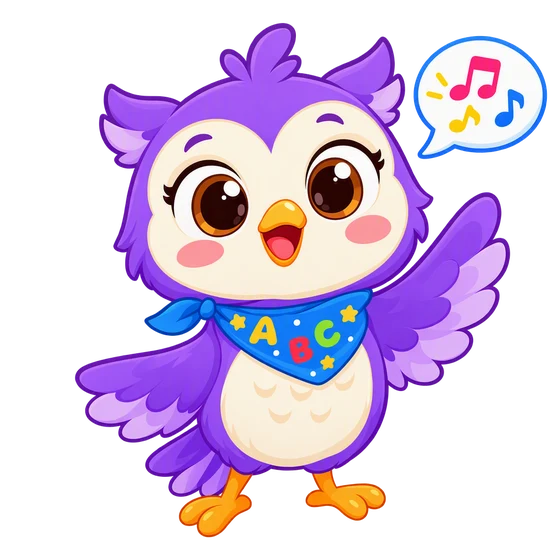
In the Lumi Kids app, Lumi the AI owl talks with your child, corrects gently and hands out stars. Ages 4–12, no ads. The first two levels and the first minute of live conversation are free.


The team behind Lumi Kids. Articles are written using published research on early-childhood language acquisition and the curriculum built into the app, and are reviewed and updated over time. Questions or corrections: hello@lumikids.live